Docker setup for MEAN.JS JavaScript Development
Known for his open source and JavaScript security initiatives, Liran Tal is an award-winning software developer, security researcher, and open source champion in the JavaScript community. He's an internationally recognized GitHub Star, acknowledged for his open source advocacy, and has received the OpenJS Foundation's Pathfinder for Security for his work on Node.js security. His contributions to developer security education include leading OWASP projects, building supply chain security tools, participation in CNCF and OpenSSF initiatives, and authoring books such as O'Reilly's Serverless Security. He leads the developer advocacy team at Snyk.io and is on a mission to empower developers with better application security skills.
Sep 12, 2016 ~ 2 min read
Docker setup for MEAN.JS JavaScript Development
share this story on
Let me tell you how quickly you can get up and running with developing on the MEAN.JS JavaScript stack.
If you’re working on Linux, Windows, or OSX it’s simply a matter of lunching a pre-configured MEAN.JS environment included with all the goodies of:
- live-reload for real-time updates when working on the frontend.
- you can work with your favorite IDE on the code, and all changes are synced to the
meanjscontainer.
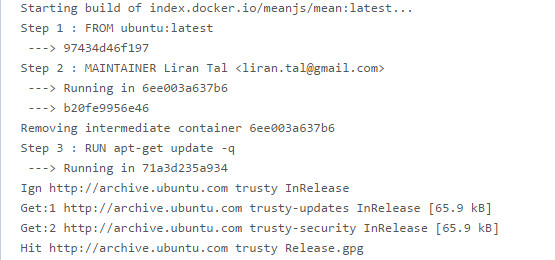
The pre-requisite is that you have a local Docker environment installed (Docker Machine for Windows/OSX or the docker packages for Linux), and then it’s just a matter of:
git clone https://github.com/meanjs/mean.git docker-compose up -d
Docker compose will be sure to mount the required local folders, setup also a dedicated mongodb container and build the meanjs web container. Once the meanjs container is built it will lunch npm start which in terms starts the current build system which is gulp.
Any DB updates will be kept on your local file system even the container is stopped/removed, and any changes you make on the server or frontend will trigger a refresh for the live-reload so it’s a breeze to develop.
Now, how about you join us the MEAN.JS repo to help out with issues and pull requests? :)